Retail ERP in Saudi Arabia: Multi-Branch POS & Stock Sync Guide
14 min read

On this page
- What is a retail ERP, and how is it different from a POS?
- Do you need a retail ERP, or is POS enough?
- Core modules a multi-branch retail ERP must have
- Integrated POS with offline mode
- Real-time inventory across branches
- Central purchasing and min/max replenishment
- Pricing, promotions and loyalty
- Branch-wise profit and loss
- Arabic and English interface
- How stock sync and inter-branch transfers actually work
- Real-time vs scheduled vs end-of-day sync
- The inter-branch transfer flow
- What happens when a branch goes offline
- mada payments and daily reconciliation per branch
- Online + offline: syncing Salla, Zid or Shopify with your branches
- What does a retail ERP cost in Saudi Arabia?
- 10-point checklist before choosing a retail ERP in KSA
- How Intellitech implements retail ERP for multi-branch businesses
- Frequently Asked Questions
- What is the difference between POS software and a retail ERP?
- How does an ERP sync stock between multiple branches?
- Can a retail ERP POS work offline if a branch loses internet?
- How much does a retail ERP cost for a multi-branch business in Saudi Arabia?
- Can one ERP sync stock between physical stores and a Salla or Shopify store?
- Is Arabic interface support necessary for a retail ERP in Saudi Arabia?
- Ready to connect your branches?
Your Riyadh branch just ran out of your best-selling item. Your Dammam branch has 40 of them sitting in the stockroom, and nobody finds out until a customer walks out empty-handed. If you run two or more stores in Saudi Arabia, that gap between what one branch sells and what another branch holds is where money leaks every single week.
A retail ERP closes that gap. It connects every POS counter, every branch stockroom and your central warehouse to one live database, so stock, sales and profit are visible branch by branch. This guide explains how it works, when you actually need one, and what to check before you sign with a vendor.

What is a retail ERP, and how is it different from a POS?
A retail ERP is a business system that connects point of sale, inventory, purchasing, accounting and reporting in one database for every branch. A POS only records sales at the counter. In Saudi Arabia, retailers with two or more branches usually need a retail ERP because a POS alone cannot balance stock or profit across locations.
Here is the practical difference:
| Task | Standalone POS | Retail ERP |
|---|---|---|
| Record sales at the counter | Yes | Yes |
| Show stock in other branches | Rarely, or with a delay | Yes, live |
| Move stock between branches | Manual, outside the system | Built-in transfer workflow |
| Central purchasing from suppliers | No | Yes, with reorder points |
| Profit and loss per branch | No | Yes |
| Supplier payments and accounting | Separate software | Same system |
| Online store stock sync | Usually separate | Connected to the same stock |
Most Saudi retailers start with a POS and an accounting package, and that is fine for one shop. The trouble starts when you add the second or third branch and every location becomes its own island of data. If you are weighing that switch right now, our comparison of ERP vs accounting software covers the decision in more depth.
Do you need a retail ERP, or is POS enough?
You need a retail ERP once you run more than one branch or a central warehouse, move stock between locations, or cannot see profit per branch without spreadsheets. A single store with a small catalog and no wholesale customers can usually manage with a good POS connected to accounting software.
Use this as a quick guide:
| Your setup | What usually works | Why |
|---|---|---|
| One store, small catalog, no warehouse | POS + accounting software | Stock and sales live in one place anyway |
| 2 to 5 branches | Retail ERP with integrated POS | Stock transfers and branch reporting start eating hours every week |
| 6+ branches or a franchise model | Retail ERP with central purchasing and role-based access | You need control over pricing, buying and permissions from head office |
| Stores plus an online shop | Retail ERP with an e-commerce connector | One stock count has to serve both channels |
Still not sure? These six signs show up in almost every retailer we talk to before they move to ERP:
- Staff phone other branches to ask if an item is in stock.
- Month-end closing takes days because sales are exported from each branch separately.
- Branch managers order from suppliers on their own, so you end up with duplicate orders.
- You only find dead stock during the annual stock count.
- Nobody can answer "which branch made the most profit last month?" without a spreadsheet.
- Your online store sells items that already sold out in the shop.
If three or more of these sound familiar, it is time to start choosing the right ERP system for your business.
Core modules a multi-branch retail ERP must have
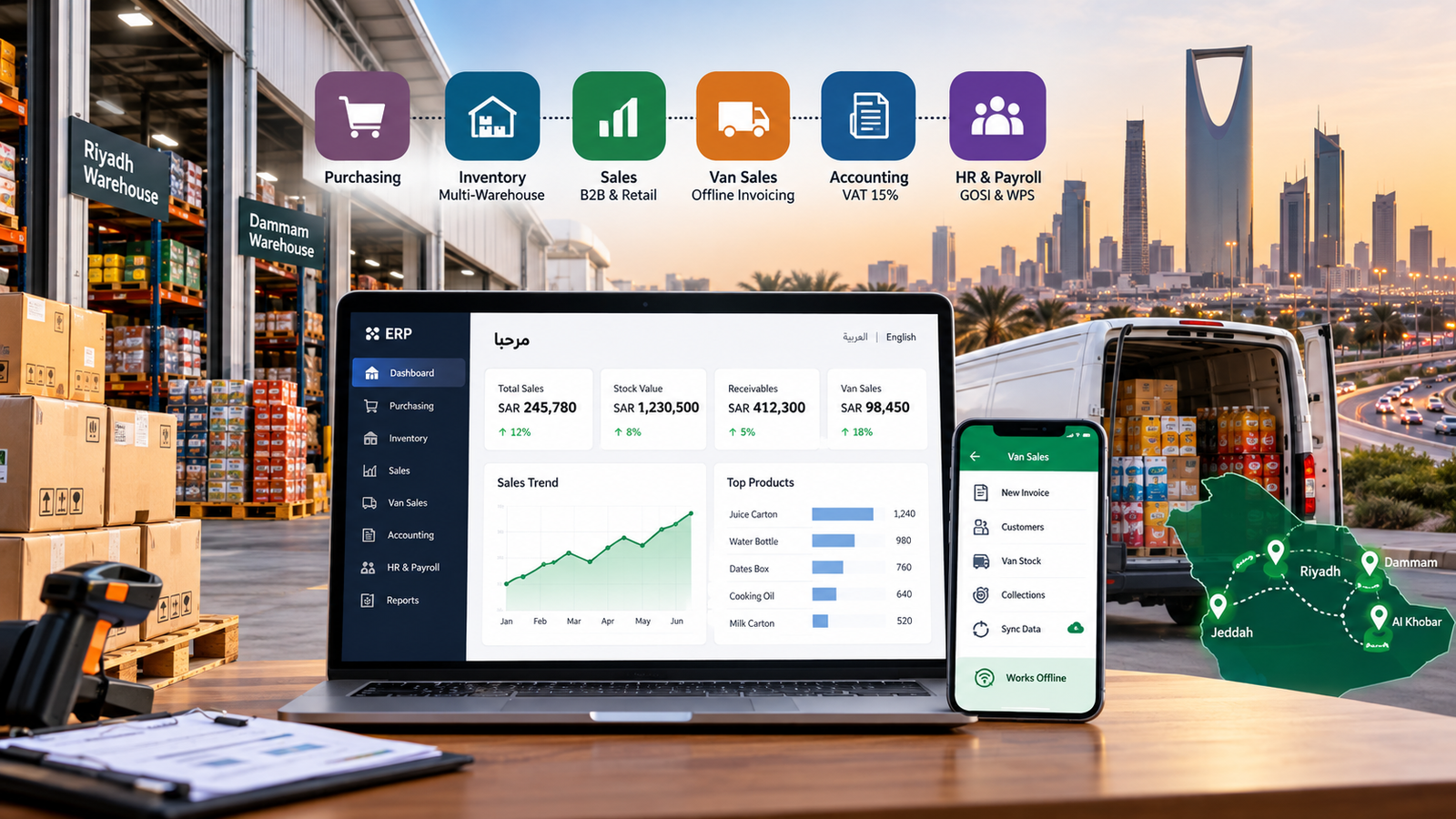
A multi-branch retail ERP should include integrated POS with an offline mode, real-time inventory across all branches, inter-branch transfers, central purchasing with reorder points, pricing and promotion control, and branch-wise financial reporting. If any of these sits in a separate tool, you are back to reconciling spreadsheets at month end.
Integrated POS with offline mode
The POS should be part of the ERP, not a third-party app connected by a nightly export. Every sale should post to inventory and accounting automatically. It also needs an offline mode, because mall branches and stores outside the main cities do lose internet, and checkout cannot stop when they do.
Real-time inventory across branches
Each branch, warehouse and even a "damaged goods" area should be a separate stock location in the system. A cashier in Jeddah should be able to check stock in Riyadh in a few seconds and either transfer it or send the customer there.
Central purchasing and min/max replenishment
Set a minimum and maximum stock level per item, per branch. When stock drops below the minimum, the system drafts a purchase order or a transfer request. Head office approves, so branch managers stop placing their own supplier orders.
Pricing, promotions and loyalty
You set prices and offers once, centrally, and push them to every branch. That matters during Ramadan, White Friday and Saudi National Day sales, when a wrong price in one branch means either lost margin or angry customers.
Branch-wise profit and loss
The system should show revenue, cost of goods, expenses and profit for each branch, and then roll them up into one company view. This is the report owners ask for most, and the one a standalone POS cannot produce.
Arabic and English interface
Your cashiers, storekeepers and accountants may prefer different languages. A bilingual interface with Arabic item names on receipts reduces training time and mistakes at the counter.
For the full list beyond retail, see our breakdown of must-have ERP features for Saudi companies.
How stock sync and inter-branch transfers actually work
In a retail ERP, every sale at any branch POS deducts stock from that branch's location in the same database, usually within seconds. When one branch runs low, staff can see which branch or warehouse holds stock and raise a transfer that moves through request, approval, dispatch and receipt, so both locations stay accurate.
This is the part most vendor pages skip, and it is exactly where multi-branch retailers lose control. So let's break it down.
Real-time vs scheduled vs end-of-day sync
Not every "integrated" POS syncs the same way. Ask the vendor which of these they actually use:
| Sync type | What you see | Risk |
|---|---|---|
| Real-time | Stock updates within seconds of each sale | Lowest. Needs a stable connection, with offline fallback |
| Scheduled (every few minutes or hourly) | Stock is slightly behind | Two branches can promise the same last unit |
| End-of-day import | Yesterday's stock picture | Transfers and purchasing decisions are always a day late |
For two branches with a small catalog, scheduled sync can be acceptable. For fast-moving retail like electronics, cosmetics or fashion, push for real-time.
The inter-branch transfer flow
A clean transfer process looks like this:
- Request. The Jeddah branch requests 20 units of an item from the central warehouse or another branch.
- Approve. The warehouse manager or head office approves the quantity.
- Dispatch. The sending location confirms what was loaded. Stock leaves that location and moves to a virtual "in transit" location.
- Receive. The receiving branch scans the items in. Stock moves from "in transit" into that branch.
- Resolve differences. If 18 arrive instead of 20, the system flags the 2-unit gap for investigation instead of silently losing it.
That "in transit" step is the detail that matters. Without it, stock either vanishes from both branches for a day or gets counted twice, and your month-end numbers never match the shelves.
If your central warehouse also sells wholesale to other shops, our guide on ERP for trading and distribution companies covers that side of the operation.
What happens when a branch goes offline
A good offline-first POS keeps selling when the connection drops. It stores each sale locally, prints the receipt, and syncs everything to the ERP as soon as the connection returns.
The one real risk is two branches selling the last unit of the same item while one is offline. The fix is simple: keep a small safety stock on fast movers, and do not allow online orders to reserve stock from a branch that is currently offline.
mada payments and daily reconciliation per branch
Electronic payments made up 85% of total retail payments in Saudi Arabia in 2025, up from 79% in 2024, according to the Saudi Central Bank (SAMA). For multi-branch retailers, that means most daily revenue arrives as mada and card settlements, and a retail ERP should match each branch's POS totals against those settlements automatically.
SAMA also reported 14.6 billion electronic transactions in 2025, compared with 12.6 billion the year before. That volume is great for cash handling, but it creates a new job: matching terminal batches to bank deposits, branch by branch.
A retail ERP should reconcile these four things for every branch, every day:
- Cash drawer per shift, counted against POS cash sales.
- mada and card terminal batch, matched against POS card sales.
- Bank settlement, which often lands the next working day.
- Card fees, posted as an expense so branch profit is accurate.
The most common mismatches we see come from refunds processed at a different branch than the original sale, split payments (part cash, part card), and settlements that cover two days at once. If the ERP tracks refunds against the original invoice and branch, most of these disappear.
Online + offline: syncing Salla, Zid or Shopify with your branches
If you sell online through Salla, Zid or Shopify as well as in stores, the retail ERP should be the single source of truth for stock. Online orders reserve stock from a chosen warehouse or branch, and branch sales update the online quantity, so you stop overselling items that already sold at the counter.
Decide on one of these models before implementation, because it changes how the system is configured:
- Warehouse-only fulfilment. The online store only shows central warehouse stock. Simple and safe.
- Pooled stock. The online store shows combined stock across selected branches. More sales, more complexity.
- Click and collect. The customer orders online and picks up from the nearest branch, which reserves stock in that branch.
Also check how returns work. A customer who buys online and returns the item at your Al Khobar branch should not break the stock count or the refund trail. Ask whether the vendor offers a ready connector for your platform or needs custom API work, because that one answer can change your budget noticeably.

What does a retail ERP cost in Saudi Arabia?
Retail ERP cost in Saudi Arabia depends on the number of branches, POS terminals and users, the platform's licensing model, data migration, integrations such as e-commerce and payment terminals, and training. Prices vary widely between vendors, so compare the total cost over three years rather than just the first-year license.
| Cost driver | Why it changes the price | Question to ask the vendor |
|---|---|---|
| Branches and POS terminals | Many vendors charge per terminal or per branch | "What does adding one more branch cost?" |
| Named users | Back-office users are often priced separately from cashiers | "Are cashier logins billed as full users?" |
| Licensing model | Subscription vs one-time license plus annual support | "What is my total cost over 3 years?" |
| Data migration | Cleaning item masters, barcodes and opening stock takes time | "Who cleans and imports our item list?" |
| Integrations | E-commerce, payment terminals, scales, label printers | "Which connectors are ready-made, and which are custom?" |
| Training and go-live support | Each branch needs on-site or remote training | "Is go-live support included for every branch?" |
For a full breakdown with budgeting tips, read our guide to ERP cost for retail companies and other Saudi businesses.
10-point checklist before choosing a retail ERP in KSA
Run every shortlisted vendor through these ten questions. If a vendor cannot show you the answer in a live demo, treat it as a "no".
- Is the POS built into the ERP, or connected through an export?
- Does the POS keep working offline, and how does it sync afterwards?
- Does stock update in real time across branches?
- Is there a transfer workflow with an "in transit" location and receiving step?
- Can you set min/max reorder levels per item, per branch?
- Can head office control prices and promotions centrally?
- Does it produce branch-wise profit and loss out of the box?
- Does it reconcile mada and card settlements per branch?
- Is there a ready connector for your online store (Salla, Zid or Shopify)?
- Is the interface and receipt available in Arabic and English?
To see how specific platforms stack up against each other, check our roundup of the best ERP software options in Saudi Arabia.
How Intellitech implements retail ERP for multi-branch businesses
Intellitech Solutions helps Saudi retailers move from disconnected POS systems to one retail ERP that covers every branch, warehouse and sales channel. The work starts with your stock and processes, not the software demo, so the system fits how your branches actually operate.
Our rollout for multi-branch retailers usually follows five stages:
- Branch and stock audit. We map every branch, warehouse, POS terminal and payment terminal you run.
- Item master clean-up. Barcodes, units of measure, Arabic and English item names, and categories get fixed before anything is imported.
- Process design. Transfer approvals, reorder levels, pricing rules and user permissions are agreed with your team.
- Pilot branch. One branch goes live first, so issues get fixed before they multiply.
- Branch-by-branch rollout and training. Each remaining branch goes live with on-site or remote training for cashiers and storekeepers.
[Add a real project here: for example, "For a [X]-branch [category] retailer in the Eastern Province, we cut month-end closing from [X] days to [X] days and removed [X]% of manual stock transfers." Use only verified numbers.]
You can read the full ERP implementation process we follow, or explore our retail ERP solutions for businesses across Riyadh, Jeddah, Dammam, Al Khobar and Jubail.
Frequently Asked Questions
What is the difference between POS software and a retail ERP?
POS software records sales at the counter, while a retail ERP connects those sales to inventory, purchasing, accounting and reporting across every branch. A POS tells you what sold. A retail ERP tells you what sold, what is left in each branch, what to reorder and how much profit each location made.
How does an ERP sync stock between multiple branches?
A retail ERP syncs stock by recording every branch sale, transfer and receipt in one shared database, so each location's quantity updates within seconds. Transfers between branches pass through an "in transit" location, which keeps stock from disappearing or being counted twice while goods are on the road.
Can a retail ERP POS work offline if a branch loses internet?
Yes, a good retail ERP POS keeps selling offline and syncs all transactions once the connection returns. Ask the vendor to demonstrate this live, and keep a small safety stock on fast-moving items so two branches do not sell the same last unit during an outage.
How much does a retail ERP cost for a multi-branch business in Saudi Arabia?
Retail ERP cost in Saudi Arabia depends mainly on branch count, POS terminals, users, licensing model, data migration and integrations. Compare the total cost over three years, and ask every vendor what adding one more branch will cost, since that figure drives your long-term spend.
Can one ERP sync stock between physical stores and a Salla or Shopify store?
Yes, a retail ERP can act as the single stock source for both your branches and an online store such as Salla, Zid or Shopify. Check whether the vendor has a ready connector for your platform, because custom API work adds cost and time.
Is Arabic interface support necessary for a retail ERP in Saudi Arabia?
Arabic support is strongly recommended for a retail ERP in Saudi Arabia because cashiers, storekeepers and customers often work in Arabic. A bilingual Arabic and English interface, with Arabic item names on receipts, cuts training time and reduces errors at the counter.
Ready to connect your branches?
If your team still phones other branches to check stock, or month-end closing takes days, your POS has outgrown its job. Intellitech's multi-branch ERP implementation team can audit your current setup and show you exactly what a connected system would look like for your stores.
Book a free multi-branch ERP readiness check: we review your branches, POS terminals, stock process and online channels, and give you a clear plan with no obligation.